Blender 360 Render.
For this project, I created a 360° rendered environment designed to be viewed on a mobile handset in YouTube VR mode. I composed it using Blender , with the animation features to decide the length of my video. To create the back ground I added an HDRI off Poly Haven that just required downloading and applying the correct settings. I used the same website for my 3D assets and imported them into blender. I then rendered into png images and imported them as a sequence into Premier Pro where I could choose the youtube and web VR options to export my video.
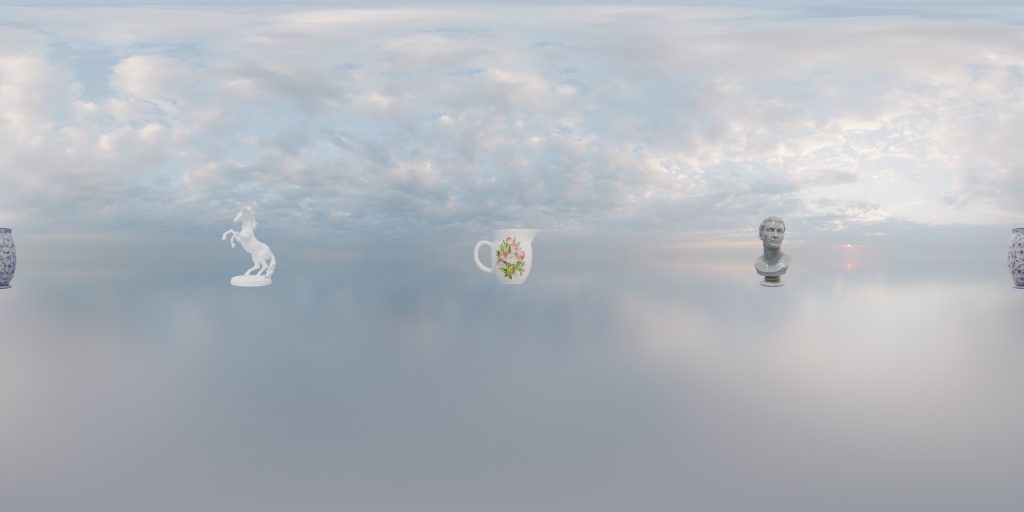
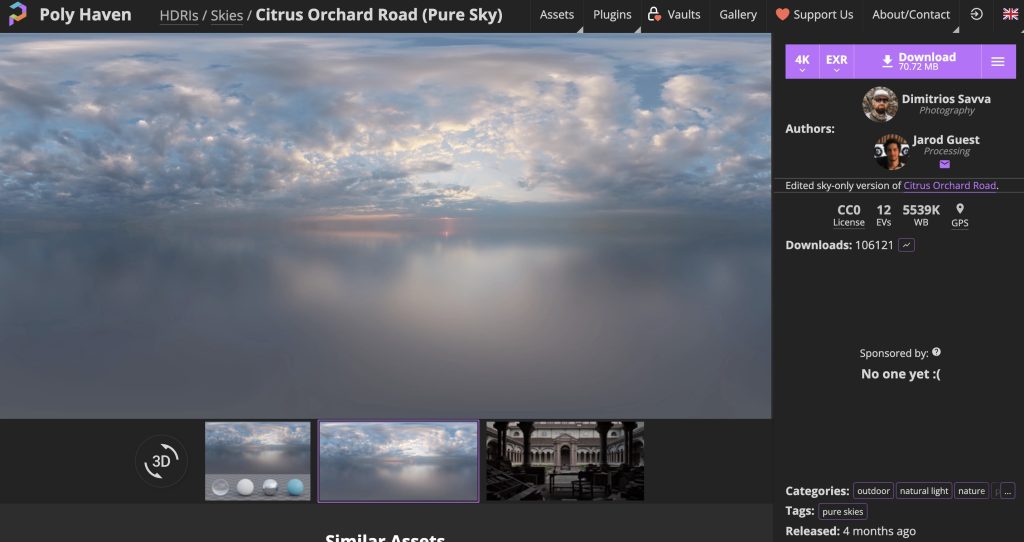
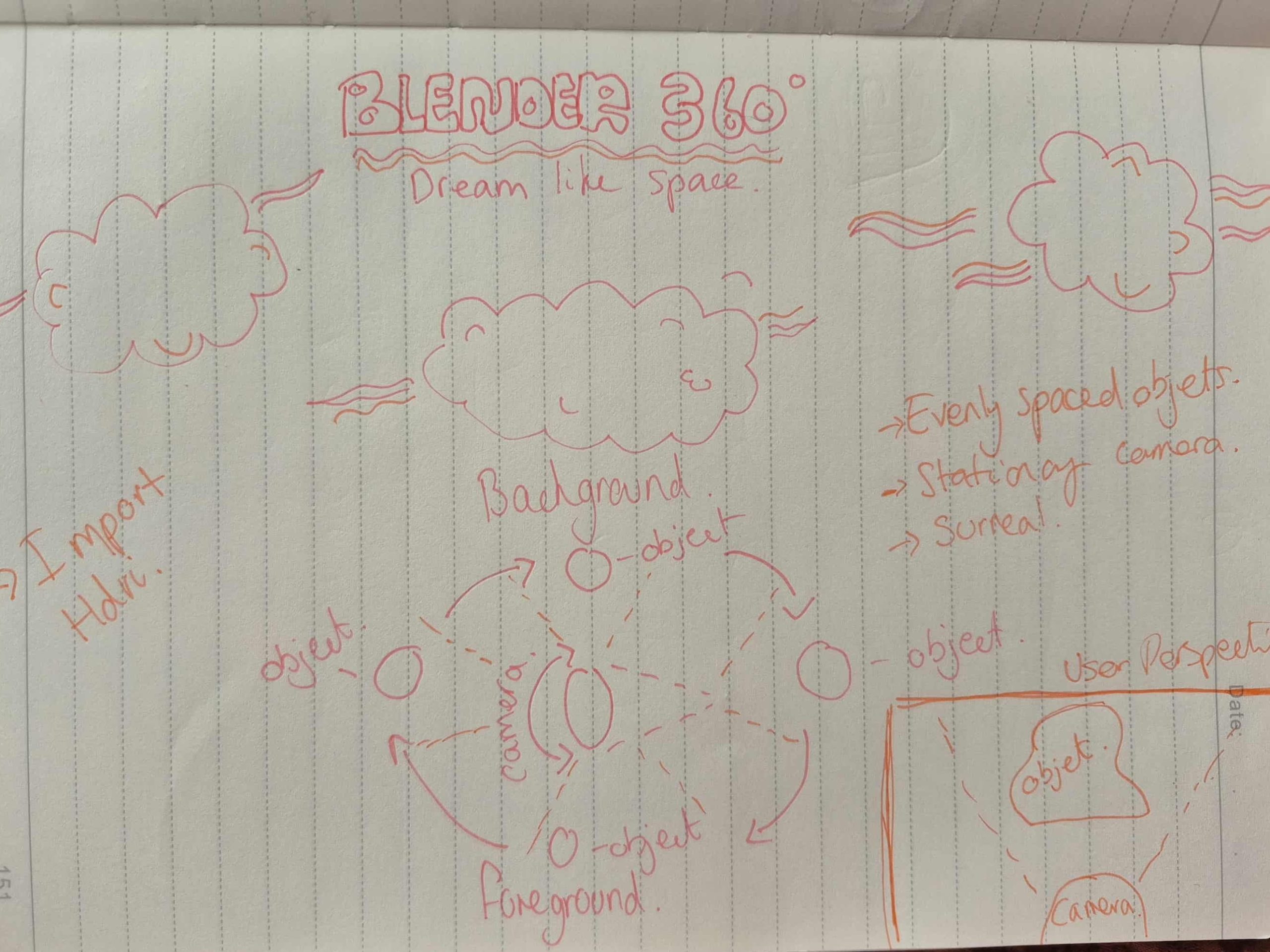
In my 360° The viewer’s camera is placed centrally among four surrounding objects, allowing the audience to freely look in any direction and feel enveloped by the layout. Instead of relying on a simple single-object VR (like a static environment with one focus) I expanded the concept by arranging elements evenly around the viewer. I aimed to make the scene ethereal and surreal, Which I believe is reflected in my choice or 3D assets and the HDRI I chose. Being up in the sky creates an almost dream like User Experience. This layout goes beyond a basic 360° example because it deliberately embraces the spherical canvas – encouraging users to turn and engage with multiple directions rather than one linear narrative.
Space, Light, Sound
Placing the camera in the centre created a balanced setup, but it took some trial and error to get the spacing right between the objects, especially since I didn’t include a solid floor. If I developed the idea further, the camera would act as a kind of “home point,” with each object leading to a different story or chapter. I added one soft light per object to guide attention without taking away from the HDRI’s natural detail. To avoid visual fatigue, I kept the colours gentle and used gradients that matched the HDRI’s palette, creating a smooth and comfortable UX.
What the User Sees or Feels Inside the Scene
When viewed through a phone in YouTube’s VR mode, the user is placed n the middle of the space , surrounded by four 3d models. There is no single forward direction which hopefully would force the viewer to actively participate and explore.
Potential Use
Story Sphere – Each of the four surrounding objects could represent a chapter or theme in a story. The user could turn and move toward an object to trigger a segment, making the 360° environment like a surreal homepage, or starting point on map.
VR UX Principles
Stability: Kept the camera fixed to avoid motion or camera shake and center placement help create balance hopefully avoiding nausea.
Avoiding Proximity Discomfort : Altho a surreal scene, considered real life distances and kept a comfortable space between viewer perspective and the objects.
Finished 360 Youtube upload for mobile use.
If I were to develop this project further, I’d experiment with interactive elements and spatial sound to make each object feel like a distinct world or chapter. I’d also add subtle movement to bring more life into the scene while keeping the calm, balanced atmosphere
Frame VR.
https://framevr.io/brandingshowcase – My Frame VR Link.
(below) Example video of my frame VR space.
I built a WebVR exhibition in FrameVR showcasing my branding work for WWF.
I moved beyond the basic example of embedding images by creating a spatial layout, positioning branding elements, descriptive text, and interactive videos within the space.
Space
I planned the virtual room so that when a avatar enters in to the room, they are greeted with a clear “starting point” which I labelled. Then Using arrows I created a hierarchical flow around the room clockwise so the user does not feel overwhelmed with choice.
Colour
The colour palette of the gallery is derived from the WWF branding. I did not over crowd the space and kept the areas of text neutral. I matched the textboxes background to the wall, so the “art” is allowed to be the focal point. These colour choices also reflect the tone of the WWF, keeping attention on important content, not distracting from their non-profit message.
What the User Sees or Feels Inside the Scene
I wanted my use of space to feel that the user is actually visiting a gallery, also that they immediately understand that this is a guided experience before any free exploration. The arrows help maintain orientation and prevent confusion, keeping the focus on the design work rather than navigation.
I hope this makes the pacing feel calm and intentional, allowing the viewer to absorb each addition to the space. I think the space also communicates a professional, focused atmosphere that reflects WWF’s tone and values.
Potential Use
WebVR Showcase – A browser based WebVR experience that’s accessible on desktop, mobile, or VR headset. It serves as a 24/7 virtual exhibition of the WWF branding, with extra focus on the #SaveNaturesSoundtrack advertising campaign that is featured already. The space would allow users to explore WWF’s causes, projects, and calls to action. In an immersive and interactive way that strengthens emotional engagement with the brand through UX being different every time.
VR UX Principles
Visual Hierarchy: Consistent spacing and hierarchical flow highlight important content without distraction and help the used to feel engaged in the space.
Orientation and Guidance: Directional arrows guide the user, preventing confusion and maintaining focus.
If I developed this project further, I could add areas of audio description for the images, also some simple interactive elements such as clickable panels or 3D models, to make the journey even more engaging. This would build on the linear structure and keep the calm, focused tone that fits WWF’s message. But still enhance the storytelling impact and VR experience.
Bib
Guest, Jarod. “Citrus Orchard Road (Pure Sky) HDRI • Poly Haven.” Poly Haven, 2025, polyhaven.com/a/citrus_orchard_road_puresky. Accessed 31 Oct. 2025.